
Music & FX
Professional Workflow Tools for REAPER
Find the right sound for the scene — without leaving your REAPER workflow. Kardango connects searchable music and sound effects with timeline cues, helping you explore options, organise selections and keep your creative decisions in focus.
Explore the Music & FX library
Start with the included starter library and expand it with your own material. Search music and sound effects by metadata instead of navigating complex folder structures.
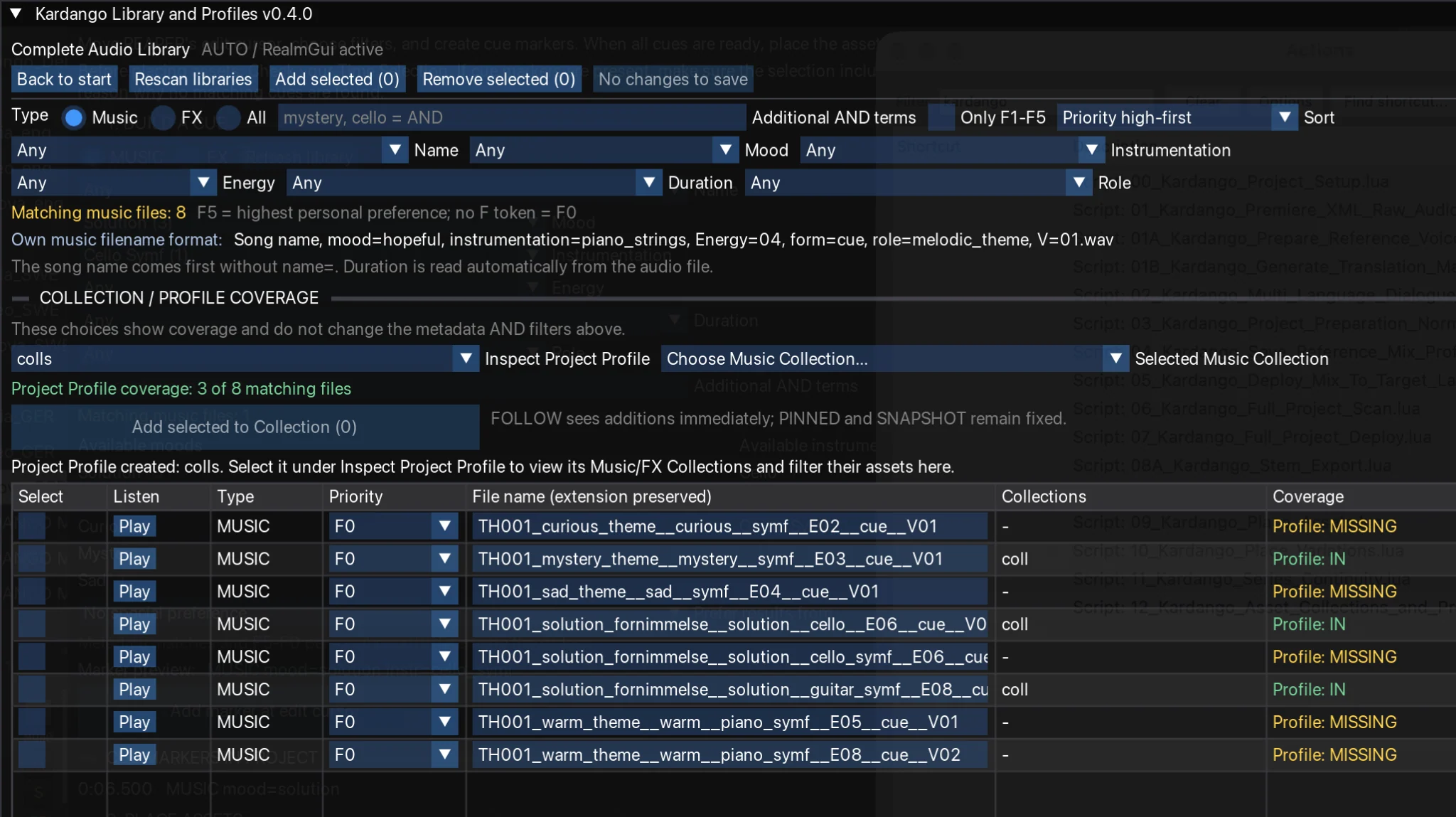
Search using musical and production metadata
Mood
Search for expressive qualities such as warm, mystery, sad, dark and action.
Instrumentation
Filter by the instruments and textures appropriate for your scene.
Energy & duration
Refine the search by intensity and length; combine filters to narrow the suggestions.
Collections & Profiles
Collections group selected assets around a scene, theme or production need. Profiles combine and reuse Collections to support consistent creative choices across an entire project.
From cue to timeline
Compare timeline cue markers with asset metadata, review matching suggestions and place selected music or sound effects directly into REAPER. Previously placed files are excluded to help prevent duplicate suggestions.
Build your own library
Extend Kardango’s library with organised and tagged music and sound effects of your own. The same search tools can help you find these assets during production.